
Callvu Sandbox Docs
Getting Started
Everything inside your Callvu sandbox, and how to use it.
Run a vertical workflow
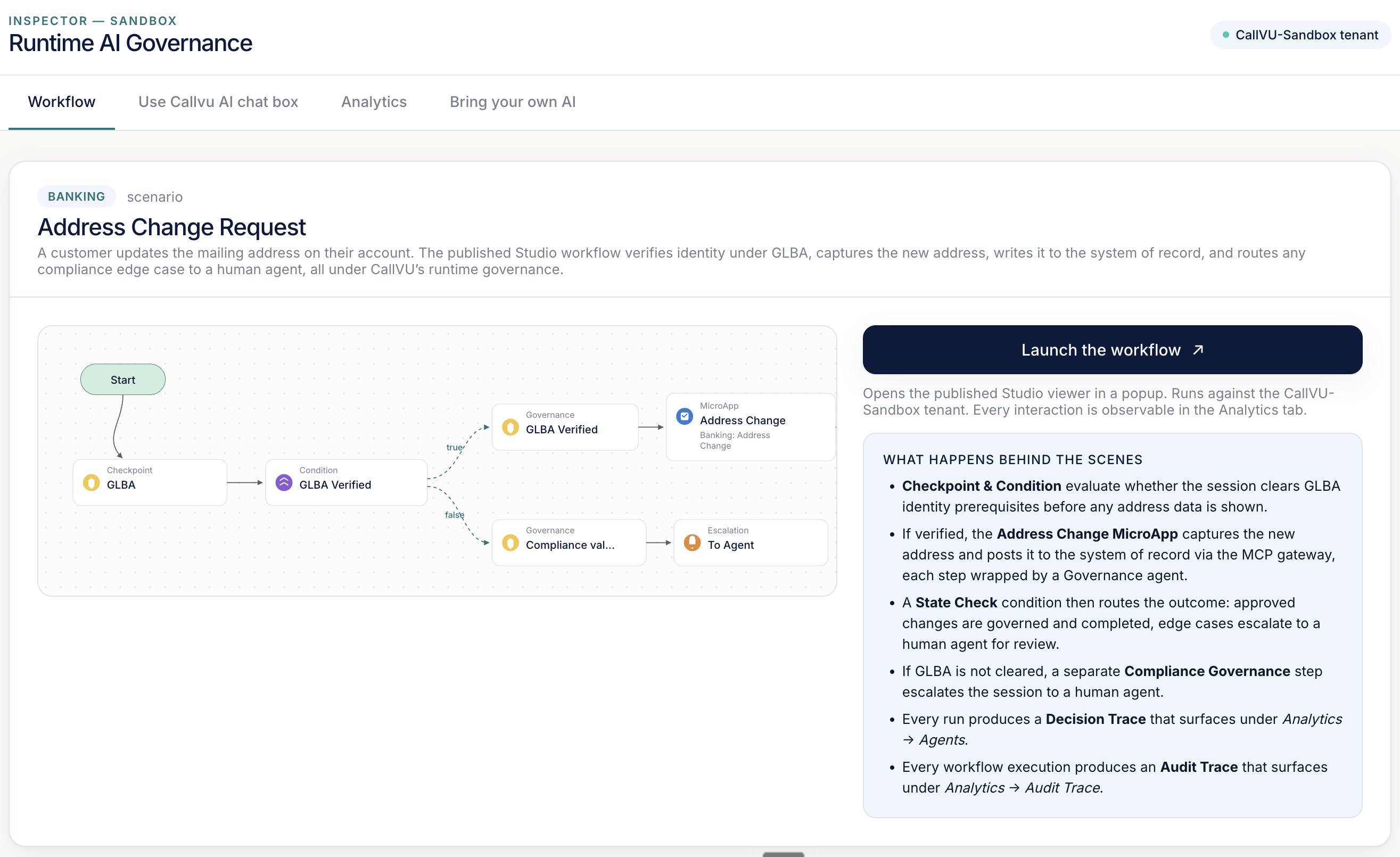
Open the workflow tab and launch your industry's scenario. The published Studio workflow runs end to end against the CallVU-Sandbox tenant. Before a single screen renders, a pre-flight gate checks the session against the vertical's bound regulation, six evaluator agents score the request across completion risk, compliance evidence, policy interpretation, data trust, audit readiness, and exception patterns, and a deterministic orchestrator issues the directive.
In Banking, that is an account address change bound to GLBA. A verified session reaches the Address Change MicroApp, where the new address is written to the system of record through a governed gateway, and any compliance edge case escalates to a human agent instead of executing. You can launch the workflow in a web or mobile view, and every run is observable in the Analytics tab.
Use the Callvu AI chat box
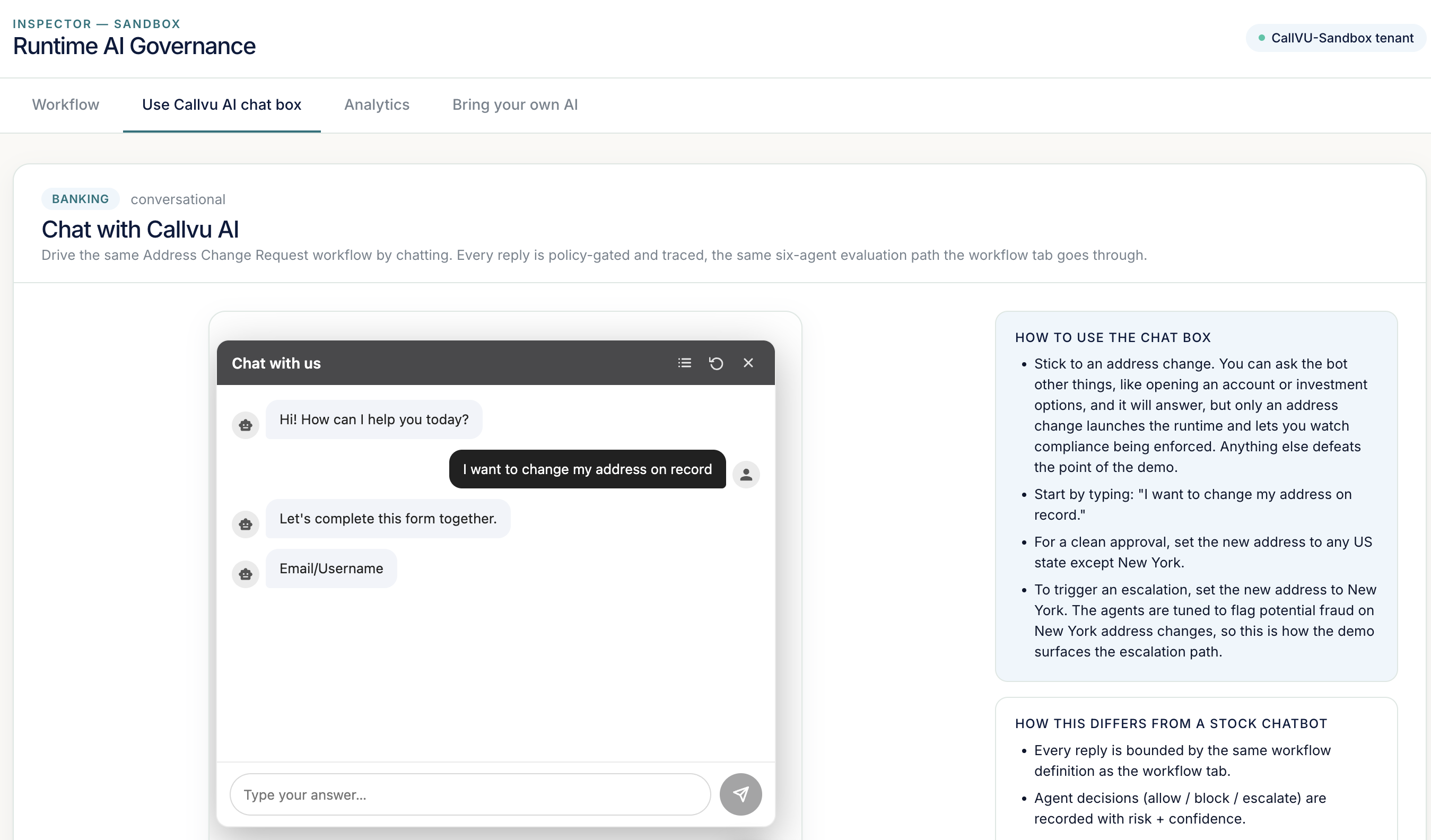
Drive the same workflow conversationally. The chat box is governed by the same six agents and the same policy as the workflow tab, so a request to change an address routes through the identical evaluation path and produces the same trace.
Stick to your vertical's scenario. In Banking, ask to change your address on record, and choose any US state except New York for a clean approval, or New York to trigger an escalation. The agents are tuned to flag potential fraud on New York address changes, which is how the sandbox surfaces the escalation path.
Analytics and Compliance Center
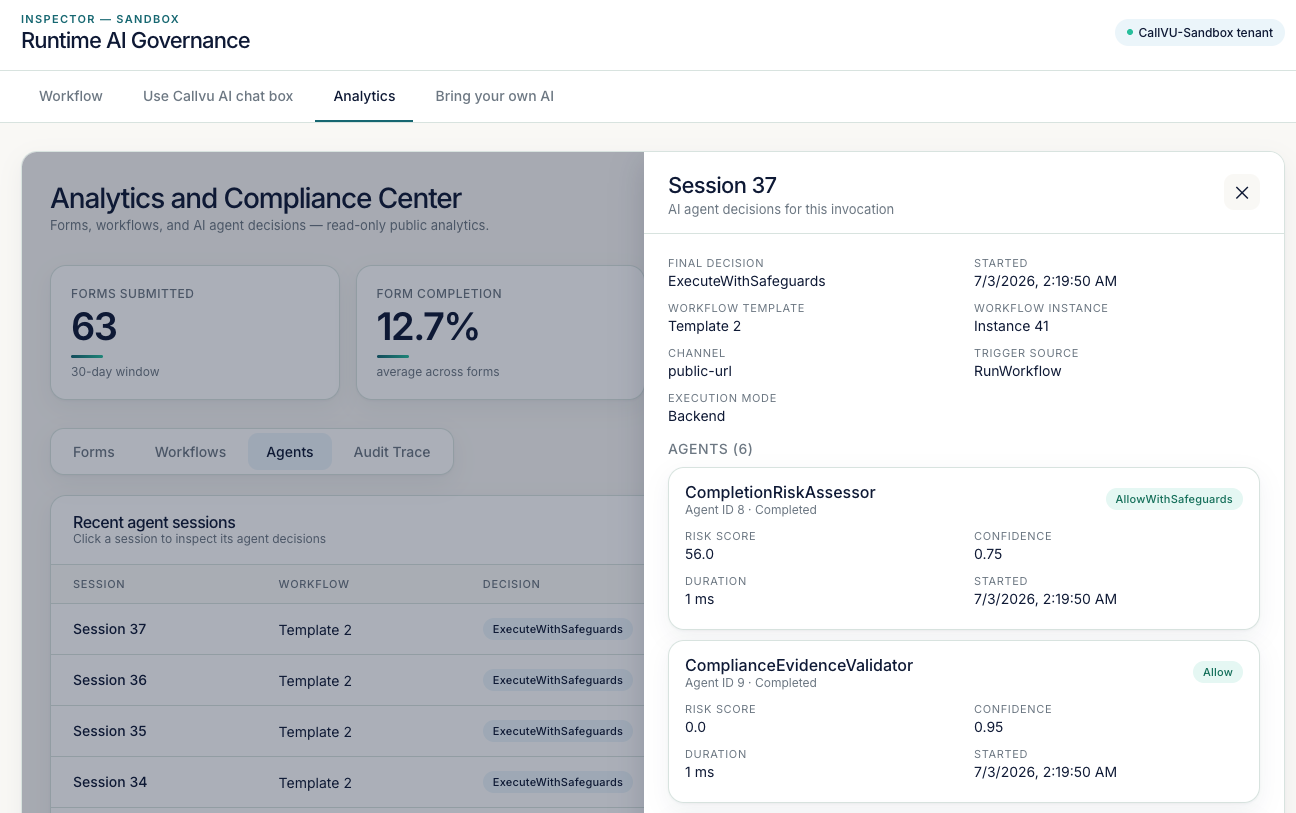
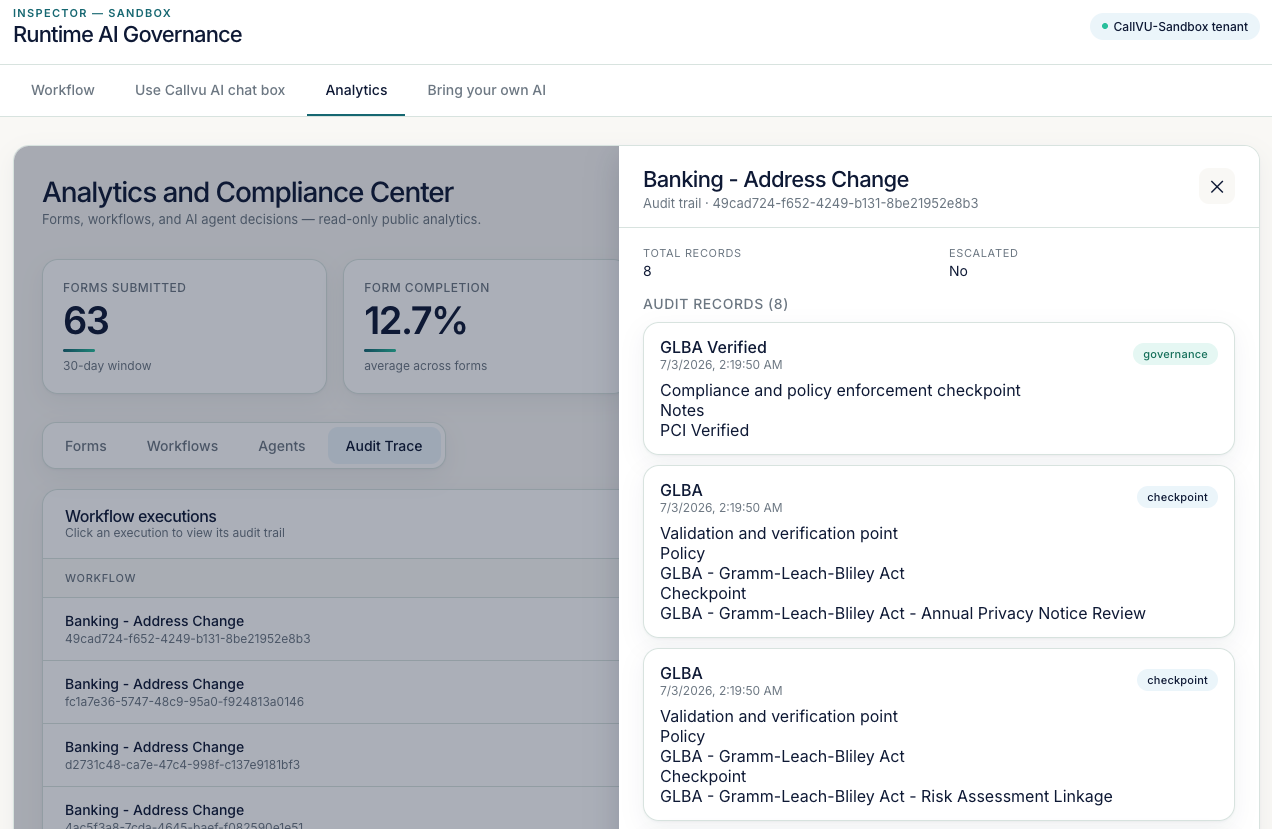
The Analytics tab is the compliance surface. It has four subtabs. Forms and Workflows show submission and execution volume over the selected time window. Agents lists every agent session; click one to open the full per-session decision drilldown. Audit Trace lists every workflow execution and its governance record. Two artifacts come out of here, and both download as Callvu-branded PDFs.
The Decision Trace
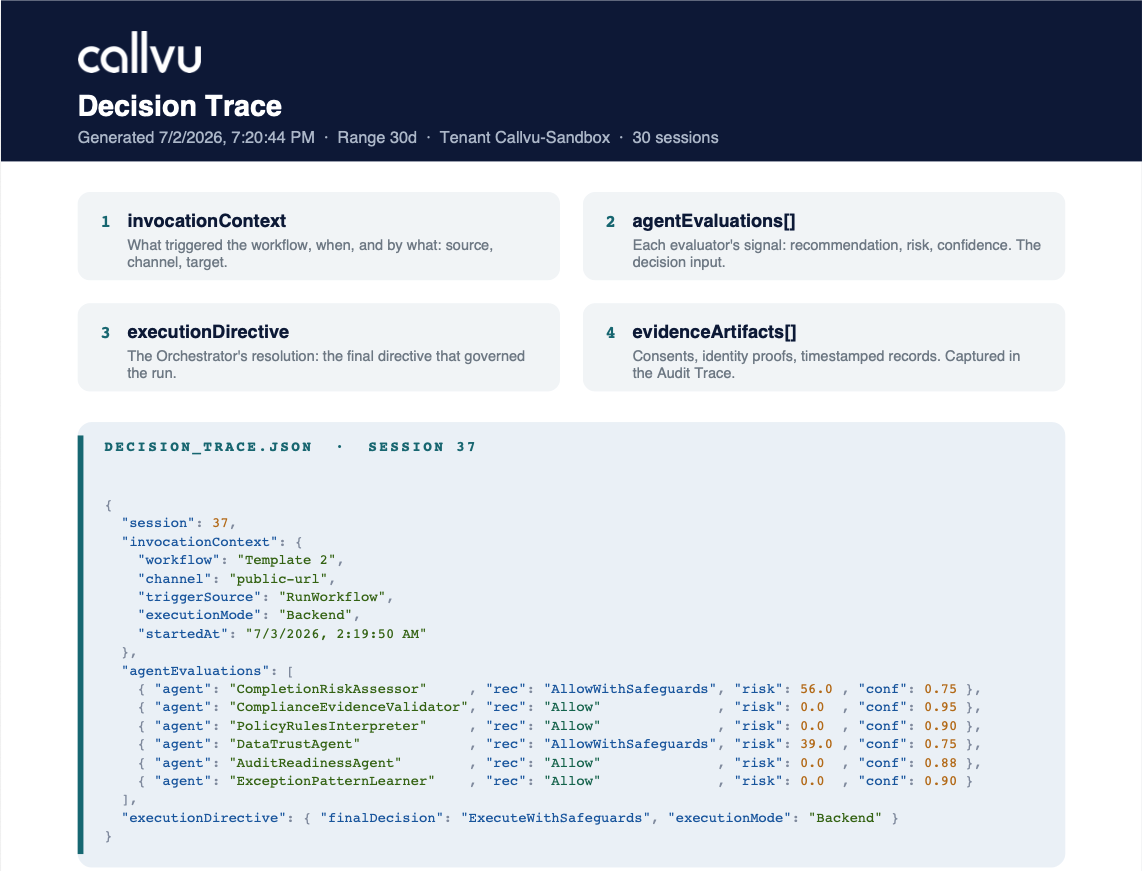
Every invocation produces a Decision Trace: the reasoning behind a single AI action. Open any session under Agents to see the invocation context, each of the six evaluator agents with its recommendation, risk score, and confidence, and the orchestrator's final directive. Download the full set from the Agents subtab as a Callvu-branded PDF, rendered as a machine-readable JSON artifact your compliance team can replay.
The Audit Trace
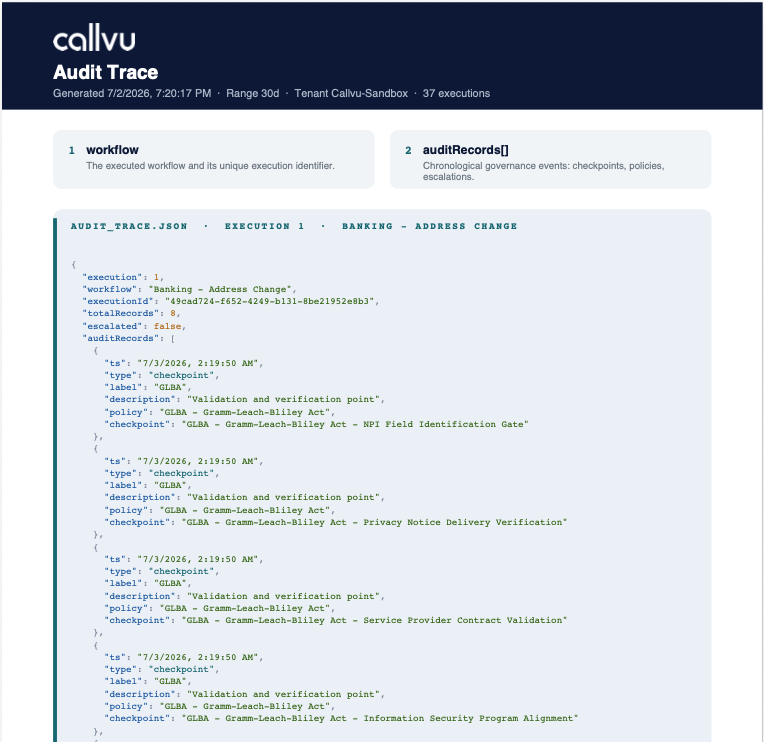
Every workflow execution produces an Audit Trace: the chronological governance record of what happened. Open any execution under Audit Trace to see each checkpoint, the policy it enforced, and whether it escalated, timestamped and in order. Download the executions for the selected time period from the Audit Trace subtab as a Callvu-branded PDF, each execution boxed and citing the vertical's regulation at every step.
Bring your own AI
Point your own AI backend at the CallVU-Sandbox tenant with a pre-issued API key, no Studio login required. Your AI is now constrained by the same runtime: the same agents evaluate, the same policies enforce, and the same Decision Trace is produced for every action it takes. Full instructions and the key are inside the Bring your own AI tab after you unlock.